The error message
OneDrive shows a "Microsoft OneDrive" window with this text:
"Sorry… We can't sync this item because the file path is too long."
The message then tells you by how many characters the path must be shortened (for example "Shorten the file path by 3 characters and try again") and offers to set up OneDrive to sync to a location with a shorter path. The buttons "Open location", "Try again" and "Exit" are offered. (The wording may differ slightly depending on your Windows language and OneDrive version.)
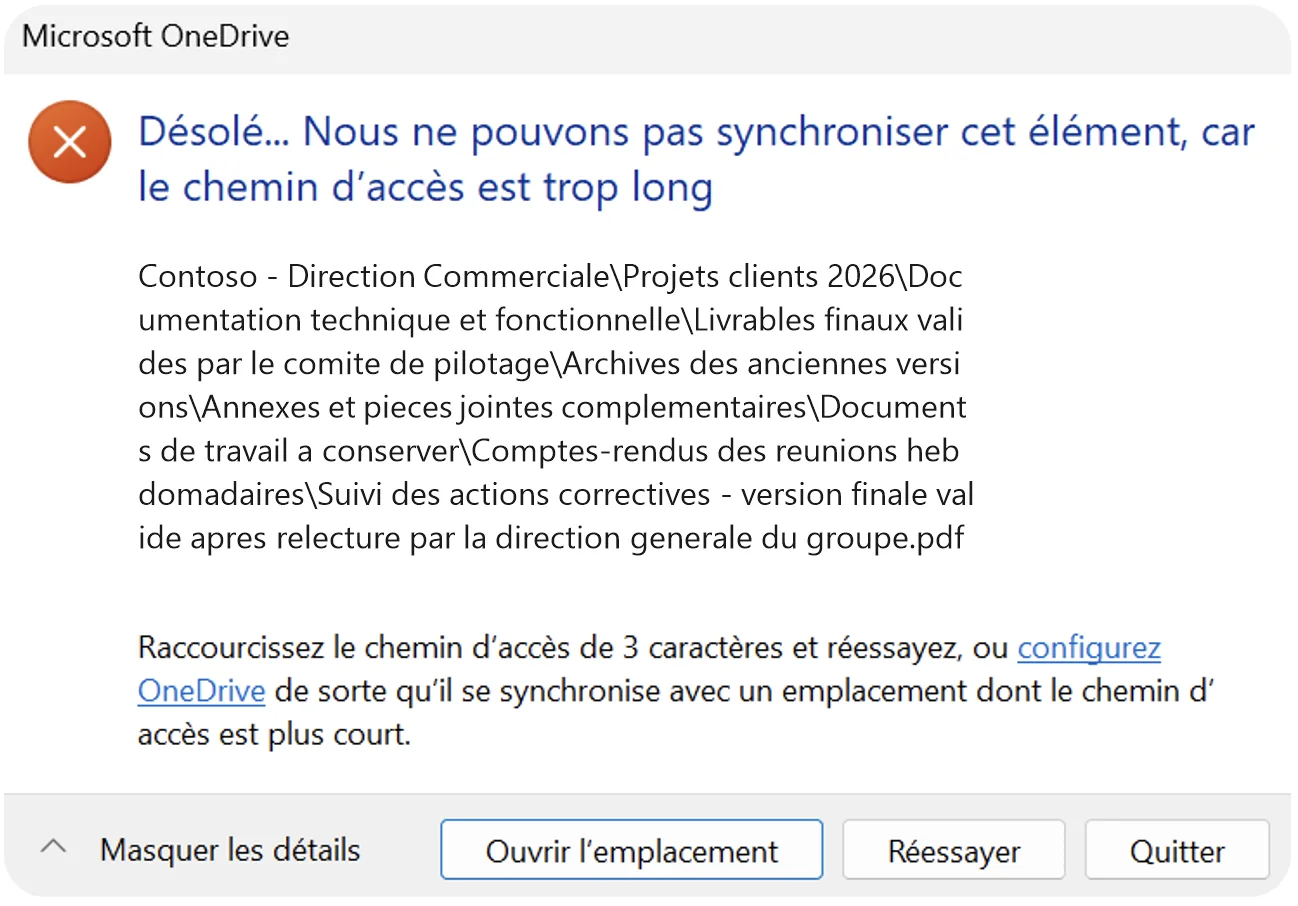
Example of a OneDrive error message for a path over 400 characters.
Why this error appears
A file's "path" is its name plus all the folders that contain it. Beyond 400 characters, OneDrive cannot sync the file: it stays stuck on this error until the path is shortened.
The most common causes:
- folders nested over many levels;
- very long folder or file names: full titles, dates, "final version" labels, the project name repeated at every level;
- files coming from an old file server, where these paths were not a problem.
How to fix the error
- Note the number of characters to remove shown by OneDrive.
- Click "Open location" to show the file concerned.
- Shorten the file name or the names of its parent folders: remove repetitions, dates and unnecessary labels.
- If needed, move the folder closer to the root of your OneDrive.
- Click "Try again": synchronization resumes.
The message concerns one file at a time. In a large folder, other files may be affected too: it is better to find them all before fixing.